K1177 Deposit Guide: JazzCash & EasyPaisa
Updated November 2026 · K1177 Pakistan guide
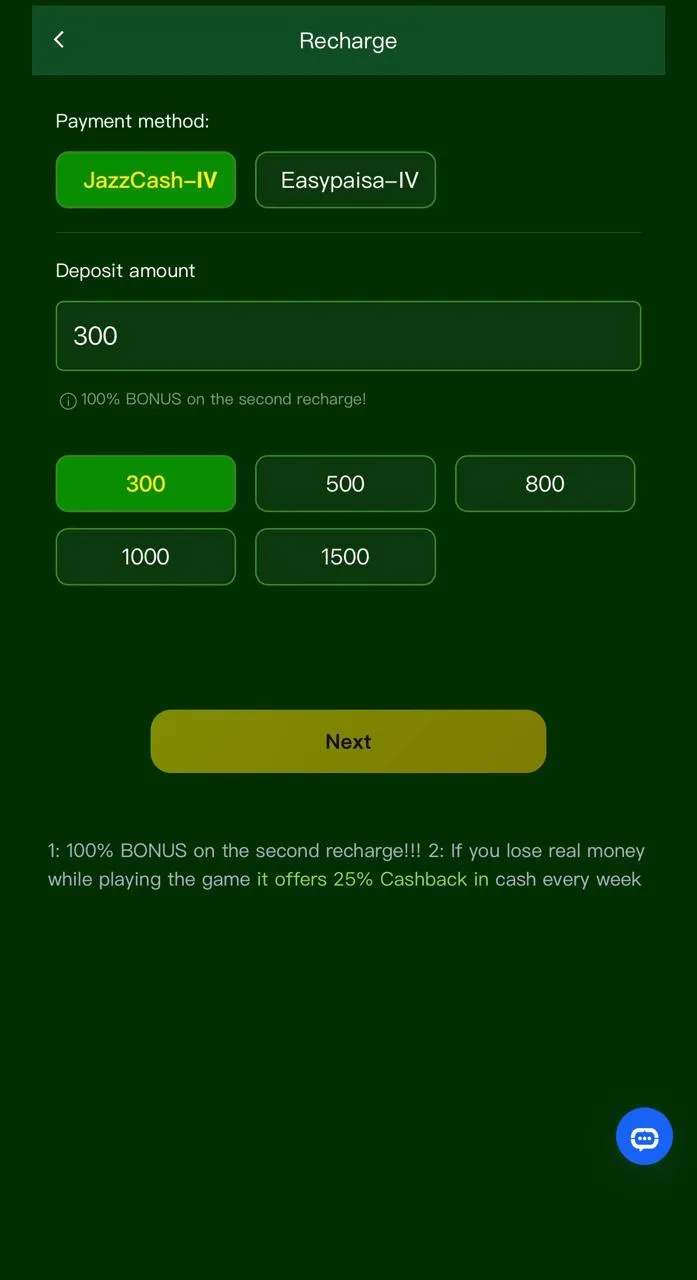
JazzCash and EasyPaisa are the primary deposit rails for K1177 in Pakistan. Official wallet sites: jazzcash.com.pk and easypaisa.com.pk. This November 2026 guide matches the Shop / Recharge flow — always pay only through the official app UI, never to a number sent on WhatsApp.
Before you deposit
- Install V1.6 from k1177apk.com.pk.
- Log in and confirm wallet balance reads zero or your expected amount.
- Check live minimum PKR on the amount picker — see minimum deposit guide.
- 18+ only; deposit money you can afford to lose.
JazzCash deposit steps
- Open K1177 → Shop / Recharge / Deposit.
- Select JazzCash and choose an amount tier.
- Tap submit — a payment request opens your JazzCash app (or prompts login).
- Approve with your JazzCash PIN; wait for success SMS.
- Return to K1177 — balance usually updates within minutes.
EasyPaisa deposit steps
- Same Shop screen — pick EasyPaisa instead.
- Confirm your EasyPaisa account has sufficient balance.
- Approve the in-app payment request with your wallet PIN.
- Do not close K1177 until the success tick appears.
Troubleshooting
- No payment popup: update APK, switch Wi‑Fi/mobile data, retry.
- Money left wallet, no chips: wait 15 minutes, screenshot receipt, contact in-app support — avoid duplicate deposits.
- Wrong number entered: support may need proof; prevention is easier than reversal.
FAQ
Can I use someone else’s JazzCash? Use only wallets in your name to avoid withdraw blocks later.
Deposit for a welcome bonus? Read turnover on the Offers tile first — bonus guide.
Extended steps: deposit money in K1177.
DOWNLOAD K1177 APK
More help on the K1177 blog.